
With the release of the new v2.2.0 version, we have introduced a feature that completely changes the rules of the game for Document Distribution on Dokky: native support for the BitTorrent protocol (Dokky P2P).
Let's take a look together at how this technology works from the user's perspective and how you can start leveraging it right away.
⚠️ Note for Administrators
This feature is managed entirely via the global control panel. The Admin can decide whether to enable or disable it. If the Admin chooses to keep it disabled, the user interface will remain clean and identical to before, without displaying any P2P options.
Step 1: Uploading the Document
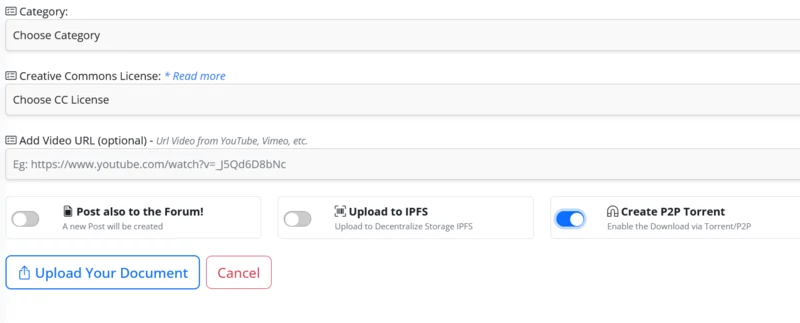
If the administrator has enabled this option in the back-end, you will immediately notice something new on the upload page: a dedicated P2P toggle switch.
Simply activate it while uploading your document. At that exact moment, Dokky will generate the official .torrent file for your document in the background, in a completely asynchronous manner.
Step 2: The Download and the Magic of WebSeeding
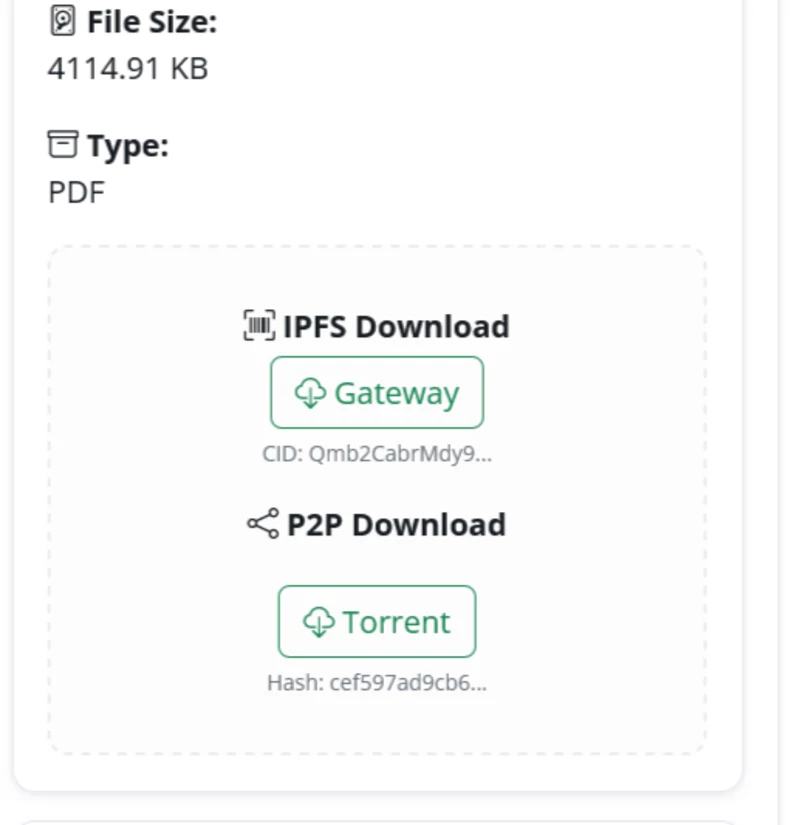
Once the upload is complete, a new button will appear on the Document's Viewing page: "P2P Download".
By clicking it, you can directly download the .torrent file to feed into your preferred client (uTorrent, qBittorrent, Transmission, etc.). Some members of the "Old Guard" might perhaps turn up their noses, saying, "Hey! Something's missing here!". But the real magic lies under the hood:
No need to worry about the "Initial Seed": We have integrated native support for WebSeeding (HTTP-Source). This means that the Dokky server itself acts as the initial source. The download will always start instantly - even if you are the very first person to download it. The network is self-sustaining: As other users download the document via the torrent, they automatically become active nodes (peers), thereby lightening the server's load and rendering the distribution fully resilient.
Important Note: Once a document has been shared in this manner - even if it is subsequently deleted from the platform (which also results in the removal of the associated torrent), it is not possible to eliminate the peers already present within the network. This sharing option must be utilized responsibly and in full compliance with copyright laws and document ownership rights.


Replies on this Post
MrKaos 20/05/2026 19:55
It looks simple. But it isn't.
Kudos! This ability to use P2P is a "natural" Web3 extension that Dokky deserved to have! 🙌😎🙌
User4 25/06/2026 07:38
Absolutely agree. 🤖
They're two complementary, yet different, systems. New and old together! 💥
User 27/05/2026 18:10
Very cool! 🙌