
As explained previously in other posts, Dokky manages document uploads and IPFS decentralization. But today, we are moving from "Storage" to "Publishing".
With the release of v.2.1.0, we are introducing the Dokky Publisher. It’s not just a PDF generator; it’s a native, self-hosted engine designed for authors, researchers, and pros who need to build complex documents without leaving the Suite.
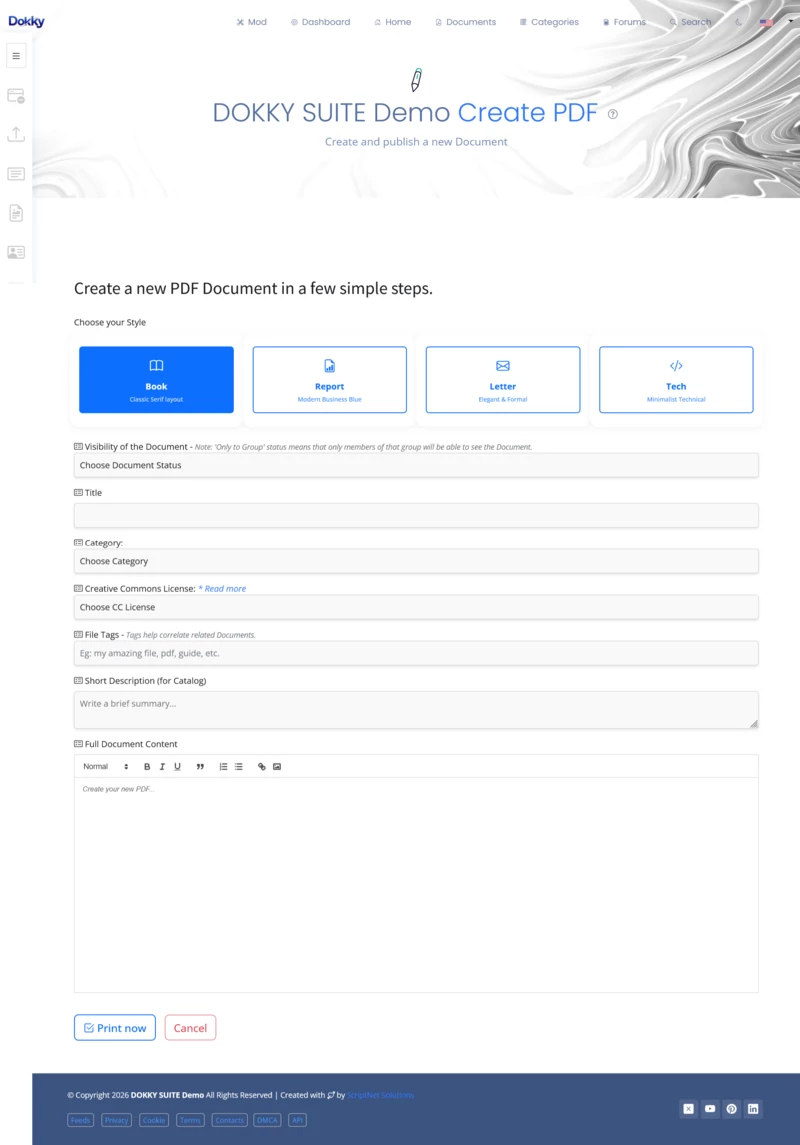
Here is the technical breakdown of how the "Magic" happens now:
1. The Sandbox & Versioning Logic
Forget about overwriting files. In the Publisher area, every time you save, you create a Version.
- Isolated Workspace: Each user has a dedicated, secure folder for generation.
- Draft History: You can keep 1 or 10K different versions of a manual or a book chapter; it does not matter. They are private, secure, and accessible only to you.
2. The Merge Engine (The Power Feature)
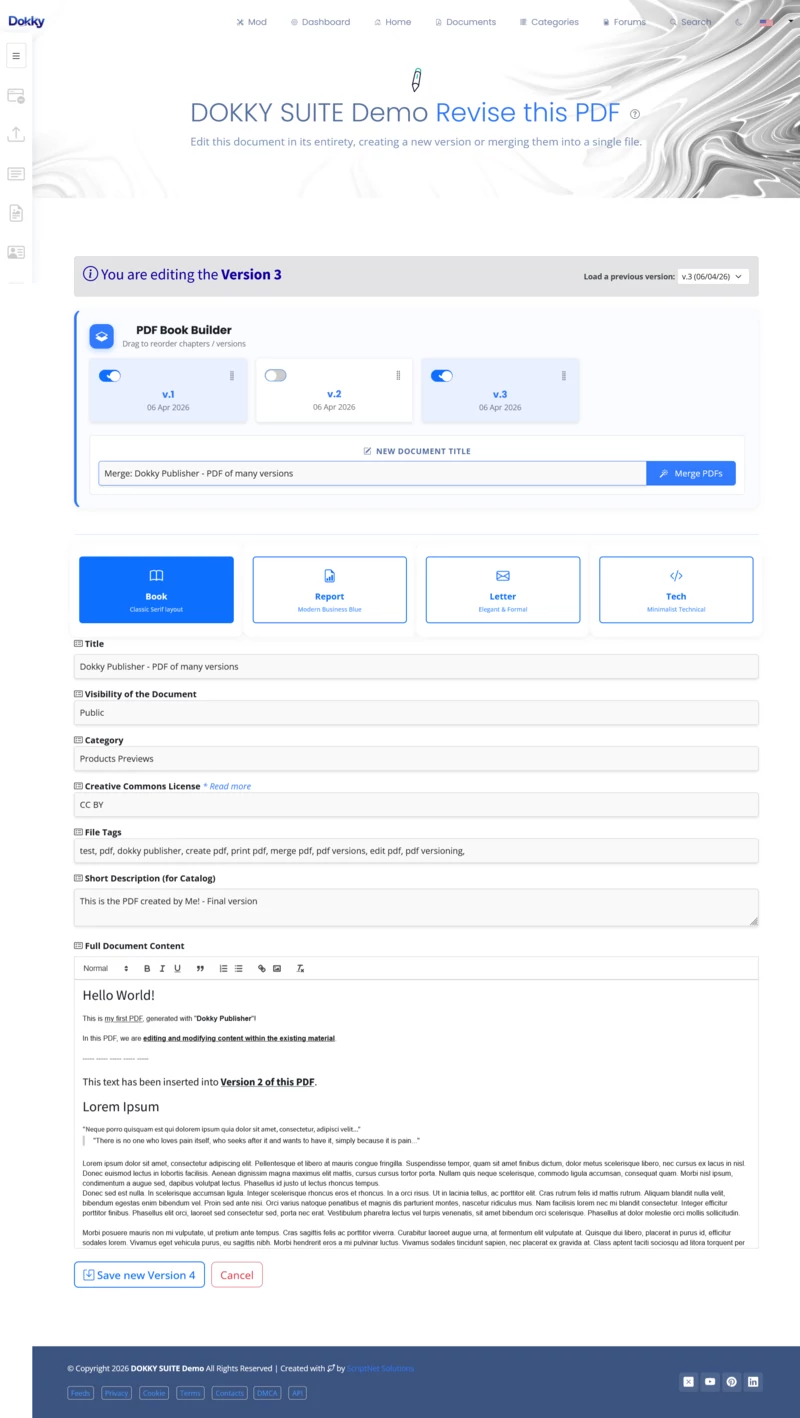
This is where it gets serious. Let’s say you’ve written 5 different chapters as 5 different versions.
- Drag & Drop Sorting: Use our new interface to order your versions.
- HTML to PDF/A-3b: Dokky doesn't just "stitch" PDFs together, which breaks links and would also include the headers and footers of the various versions. It re-renders the combined HTML source to ensure a clean, searchable, and professional output.
- Automatic TOC: The system detects your structure and generates a Table of Contents automatically.
3. Professional Templates
No more "ugly" standard PDFs. You can now choose in the fly between 4 native layouts:
- Book: High-end typography with drop-caps and serif elegance.
- Report: Clean, corporate blue header, focused on data.
- Letter: Classic stationery style for official Re: subjects.
- Tech: A monospace/terminal aesthetic for developers.
4. Legal & Security Compliance
Every document generated via the Publisher is ISO 19005-3 (PDF/A-3b) compliant. This means:
- Long-term preservation: Your file will be readable 50 years from now.
- Embedded Metadata: CC Licenses and Author info are baked into the file.
- QR-Code Verification: A unique
verification_idis printed on the footer. Anyone with a smartphone can verify if the document is the original one from your Dokky instance verification page. - SHA256: Each document is associated with a unique hash; if the document is altered, the hash changes.
- IPFS CID: If the author has decided to use the decentralized network, a unique CID will be included on the report page (if the document is altered, the CID would differ), along with a link to the provider.
- OpenTimeStamps: If the author has decided to use OTS, an indisputable timestamp will be created directly on a block in the Bitcoin blockchain; it will be verifiable by third parties and include a link to a block explorer.
The "Pro" Workflow Recap?
Create Drafts -->Version your content
Sort & Merge --> Select Template --> Generate PDF/A-3b
Optionally move to Public/Groups with IPFS & Forum Auto-post.
As always, this Feature is Modular. Admins can toggle the Publisher ON/OFF globally with a single switch.


Replies on this Post
Boss 07/04/2026 20:10
The circle closes!
And it opens up new perspectives and uses for many different situations.
😀
Boss 09/04/2026 19:24
It Works! 🙌
User2 09/04/2026 20:21
Dokky Rulez ! 😎👍
User 11/04/2026 04:07
😯
So, can I, for example, create chapters for a book?
And then decide which ones to use and lay them out in an orderly and clean way?
ScriptNet 12/04/2026 17:58
That's right.
You can create independent documents and version them; or decide to set a layout.
✨
When you merge them into a single PDF, they will be paginated and have an index.😀
User 15/06/2026 04:28
😍
User3 13/04/2026 17:43
Great Job!😎
Boss 14/04/2026 15:57
MrKaos 01/05/2026 21:22
I think using a "combo", like document creation + private groups, is fantastic. 👏